Back to Free Mixing & Mastering Plugins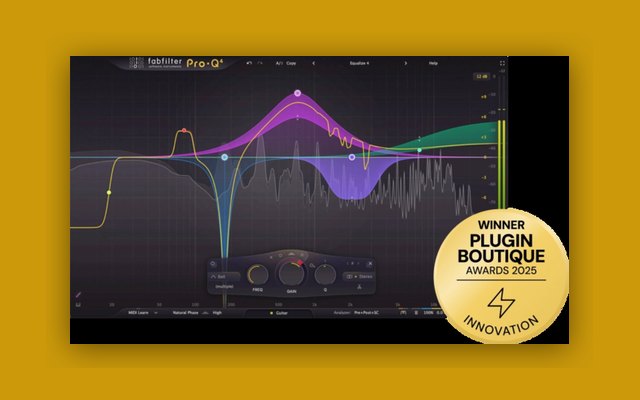
About FabFilter Pro-Q 4
FabFilter Pro-Q 4 is presented under the heading unrivalled sound and workflow, and the developer's framing states the case plainly: an equalizer is probably the tool you use most while mixing and mastering, so you need the best of the best. FabFilter Pro-Q 4 delivers with the highest possible sound quality, a very extensive feature set, and a gorgeous, innovative interface with unrivalled ease of use. The claim that EQ is the most-used tool is worth carrying as the framing, because it explains why Pro-Q has become a default in so many studios: workflow gains on a plugin used dozens of times per session compound in a way that gains on a rarely-used processor never do, and the developer's own summary of version 4 is that the clean design and intelligence of Pro-Q 3 is still present, but a lot of exciting new functionality has been added to improve both sound and workflow.
Its version 4 additions are documented individually and each addresses a specific limitation of the previous version. Usability improvements and EQ Sketch — "Wondered if you could ever just draw the curves you'd like? Now you can!" — EQ Sketch lets a curve be drawn directly on the display rather than built by adding bands and setting frequencies and gains one at a time — which is the most significant workflow change here, since the mental step from hearing a problem to placing bands is where EQ work slows down, and drawing the intended curve removes the translation. The new Instance list lets you control all Pro-Q 4, Pro-C 3, Pro-DS and Pro-G instances in your session via a single plug-in interface — this is a session-wide capability rather than a per-instance one, and it is worth explaining that it applies to FabFilter's compressor, de-esser, and gate as well as its EQ, which means a producer can see and adjust the whole session's FabFilter processing from one window; that is a genuinely unusual feature and one of the strongest arguments for standardising on the developer's plugins. And Spectral dynamics, documented as treating problem frequencies more precisely and efficiently — spectral dynamics applies dynamic processing to specific frequency content within a band rather than to the band as a whole, which is a finer-grained tool than conventional dynamic EQ, and useful where the problematic content moves within a band rather than occupying all of it. Further documented features include sample-accurate automation of all parameters, an extensive help file with interactive help hints, and the interface described as gorgeous, intelligent, and designed to help you get 'that' sound quickly and easily. Its format coverage is documented and is broad: VST, VST3, CLAP, Audio Units, AAX Native, and AudioSuite, with the developer stating that all FabFilter plug-ins are available in these formats. Requirements are documented: macOS 10.13 or higher (64-bit only) with VST 2/3, AU, or CLAP host, or Pro Tools, and Intel or Apple Silicon processor; and Windows 11, 10, 8, 7, or Vista, 64-bit or 32-bit, with VST 2/3 or CLAP host, or Pro Tools. The documented Windows support reaching back to Vista is notable, since few current plugins support that far back, and it is worth stating for a buyer running an older system, though the catalogue should confirm the current version's stated platform list on the product page, since support may have been revised since. The version is documented via the help file dated 2026, and the manual is available as a PDF. The catalogue should carry the key features list in full if your template accommodates it, since the developer publishes a numbered feature list running past thirty items covering the band types, filter slopes, display options, and interaction behaviours — and on an EQ whose reputation rests on its feature depth and workflow, that list is the substance rather than an appendix. It is published by FabFilter and distributed through the developer directly and through retailers including Plugin Boutique. It suits all mixing and mastering work, across every genre, and the honest framing is that Pro-Q is a general-purpose workhorse rather than a specialist tool — a producer wanting a specific character EQ should look to an emulation, while a producer wanting an EQ they will use on every track and every bus is looking at the right plugin, which is precisely the argument the developer opens with.
#FabFilterProQ4 #ProQ4 #FabFilter #EQ #Equalizer #EQSkeetch #SpectralDynamics #InstanceList #ProC3 #ProDS #ProG #SampleAccurateAutomation #DynamicEQ #CLAP #VST #VST3 #AU #AAX #AudioSuite #Mixing #Mastering #Workflow #MusicProduction #FLStudio #AbletonLive #LogicPro #Cubase #ProTools #StudioOne #Reaper #Bitwig
Rate & Recommend
Your Rating
Would you recommend this plugin?
Free Mixing & Mastering Plugins
FabFilter Pro-Q 4
by FabFilter
FabFilter's flagship EQ, adding EQ Sketch drawing, spectral dynamics, and a cross-instance control list.
3
Downloads
8
Views
0
Recommends